AutoCAD vs SolidWorks: Which CAD Software Is Right for Your Project?
Choosing between AutoCAD and SolidWorks can impact your workflow, costs, and project outcomes. This guide breaks down key differences, strengths, and ideal use cases for CAD business owners.

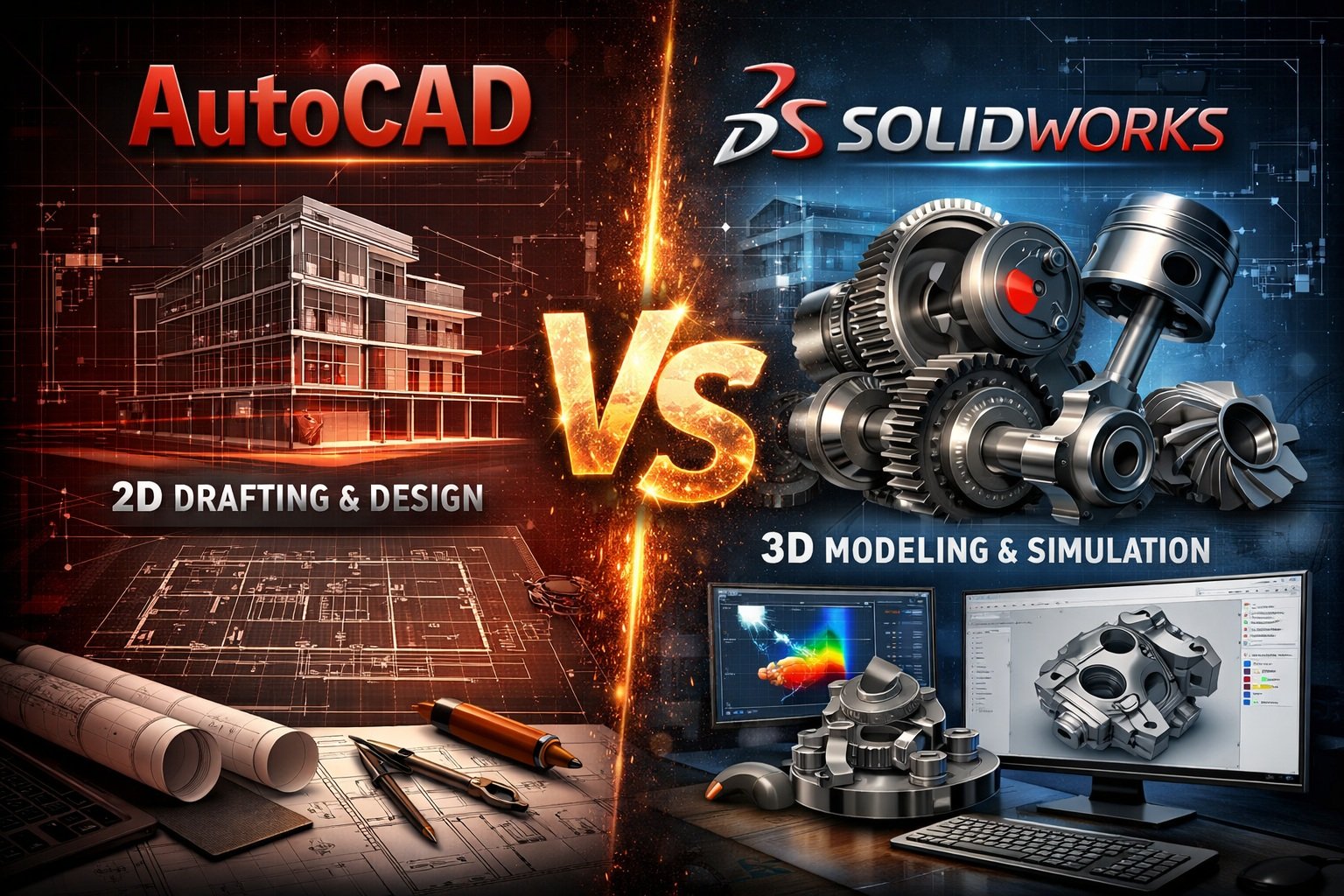
For CAD business owners, selecting the right software is not just a technical decision. It directly impacts productivity, project efficiency, and overall profitability. Two of the most widely used CAD platforms in the industry are AutoCAD and SolidWorks. While both are developed by Autodesk and Dassault Systèmes respectively, they serve different purposes and excel in distinct areas.
This article provides a detailed comparison to help you determine which solution aligns best with your business requirements.
Overview of AutoCAD
AutoCAD is one of the oldest and most widely recognized CAD software tools in the market. It is primarily known for its strong 2D drafting capabilities and is used across industries such as architecture, construction, and civil engineering.
AutoCAD also supports basic 3D modeling, but its core strength remains in creating precise technical drawings, layouts, and documentation.
Key Strengths of AutoCAD
- Industry-standard for 2D drafting
- Flexible and versatile across multiple industries
- Large talent pool and easy onboarding
- Strong file compatibility (DWG format)
- Cloud and mobile accessibility
Overview of SolidWorks
SolidWorks is a parametric 3D CAD software primarily used for mechanical design, product development, and engineering simulations. It is widely adopted in manufacturing industries where precision modeling and assembly design are critical.
Unlike AutoCAD, SolidWorks is built specifically for 3D modeling and provides advanced tools for simulation, motion analysis, and product lifecycle management.
Key Strengths of SolidWorks
- Advanced 3D modeling capabilities
- Parametric and feature-based design
- Assembly modeling and motion simulation
- Integrated testing and validation tools
- Strong ecosystem for manufacturing workflows
Core Differences Between AutoCAD and SolidWorks
1. Design Approach
AutoCAD follows a geometry-based approach where designs are created manually using lines, arcs, and shapes. It is ideal for drafting and documentation.
SolidWorks uses parametric modeling, allowing users to define relationships and constraints. Changes automatically update across the entire model, which significantly improves efficiency in complex designs.
2. 2D vs 3D Capabilities
AutoCAD excels in 2D drafting and is often the preferred choice for floor plans, layouts, and schematics.
SolidWorks, on the other hand, is built for 3D modeling. It allows designers to create detailed parts, assemblies, and simulations with high accuracy.
3. Ease of Use
AutoCAD has a relatively lower learning curve, especially for beginners or teams focused on drafting tasks.
SolidWorks requires more training due to its advanced features and engineering-focused tools. However, once mastered, it offers greater efficiency for complex projects.
4. Industry Applications
- AutoCAD: Architecture, civil engineering, electrical diagrams, construction planning
- SolidWorks: Mechanical engineering, product design, manufacturing, prototyping
5. Collaboration and Workflow
AutoCAD supports collaborative workflows through cloud integration and shared DWG files. It is suitable for teams working on documentation-heavy projects.
SolidWorks provides deeper integration for product development workflows, including version control, simulation, and manufacturing readiness.
6. Pricing Considerations
AutoCAD generally has a lower cost of entry compared to SolidWorks, making it accessible for small businesses and startups.
SolidWorks is more expensive but offers higher value for businesses focused on product design and engineering.
When Should You Choose AutoCAD?
AutoCAD is the right choice if your business primarily deals with:
- 2D drafting and technical drawings
- Architectural layouts and floor plans
- Infrastructure and civil engineering designs
- Projects requiring quick revisions and documentation
It is also ideal for agencies handling a high volume of drafting work where speed and standardization are critical.
When Should You Choose SolidWorks?
SolidWorks is better suited for businesses that focus on:
- 3D product design and development
- Mechanical engineering projects
- Assembly modeling and simulations
- Manufacturing and prototyping workflows
If your projects involve designing functional products with moving parts or require testing under real-world conditions, SolidWorks provides a clear advantage.
Performance and Scalability
AutoCAD performs well on standard hardware and is suitable for teams with moderate system capabilities. It scales efficiently for drafting-heavy workflows.
SolidWorks, however, demands higher system performance, especially for large assemblies and simulations. Businesses must invest in robust hardware to fully utilize its capabilities.
Impact on Business Operations
Choosing between AutoCAD and SolidWorks can influence your operational efficiency, hiring strategy, and service offerings.
AutoCAD enables faster onboarding due to its widespread use and simpler interface. It is easier to find skilled professionals in the market.
SolidWorks, while requiring more specialized expertise, allows businesses to offer high-value engineering and product development services, which can lead to higher revenue opportunities.
Can You Use Both?
Many CAD businesses use both AutoCAD and SolidWorks as part of their workflow. AutoCAD is used for drafting and documentation, while SolidWorks handles complex 3D modeling and product design.
This hybrid approach ensures flexibility and allows businesses to cater to a broader range of client requirements.
Final Verdict
There is no one-size-fits-all answer when choosing between AutoCAD and SolidWorks. The right choice depends on your business model, target industry, and project requirements.
If your focus is on drafting, layouts, and documentation, AutoCAD remains the most practical and cost-effective solution.
If your business revolves around product design, engineering, and manufacturing, SolidWorks offers a more powerful and scalable platform.
For many CAD business owners, the best strategy is not choosing one over the other, but understanding how each tool fits into your workflow and leveraging them accordingly.